ZenTheme Pro
A premium Help Center theme with a real light/dark system. Standard $299, Developer $449, one-time.
Light and dark, side by side.
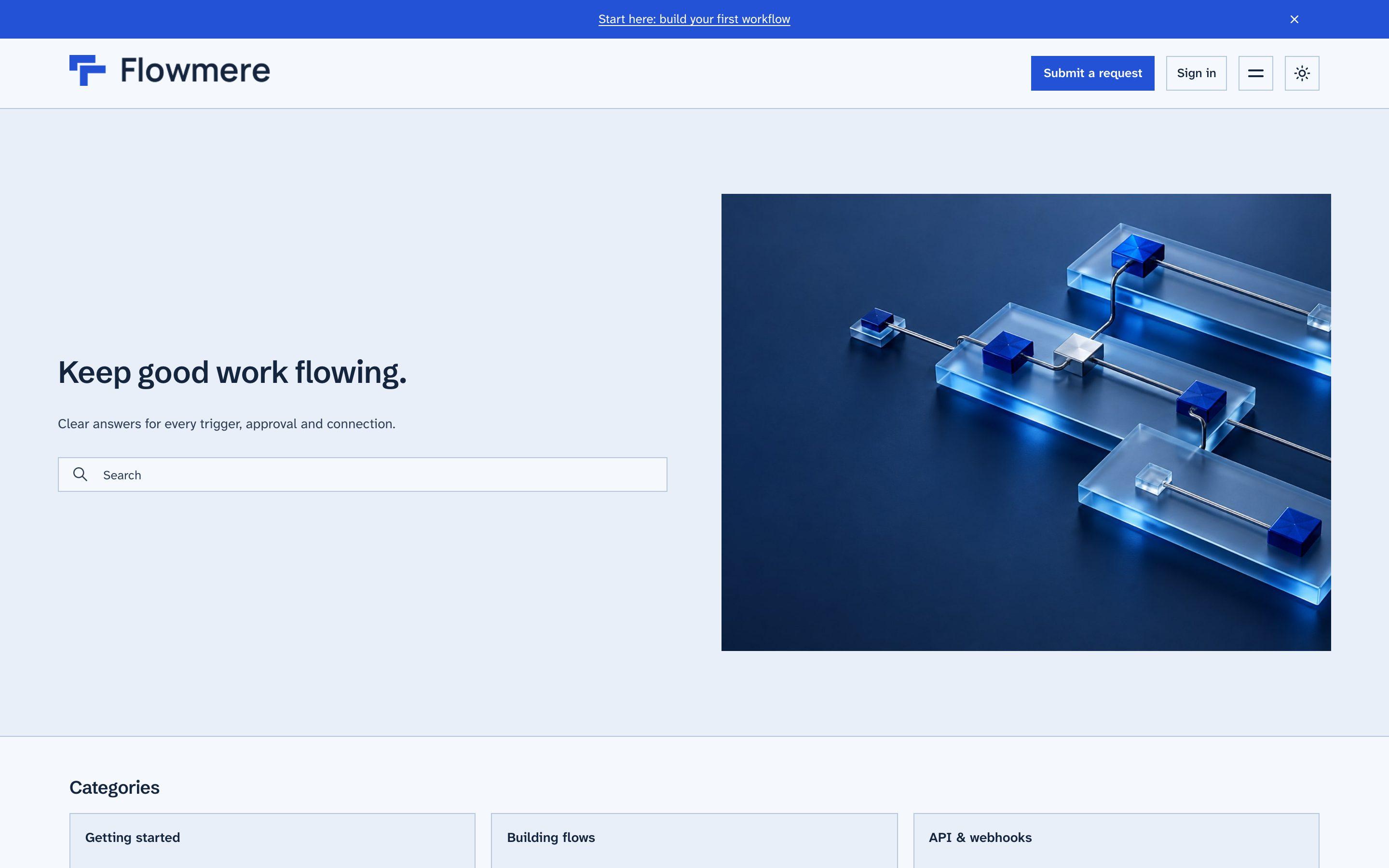
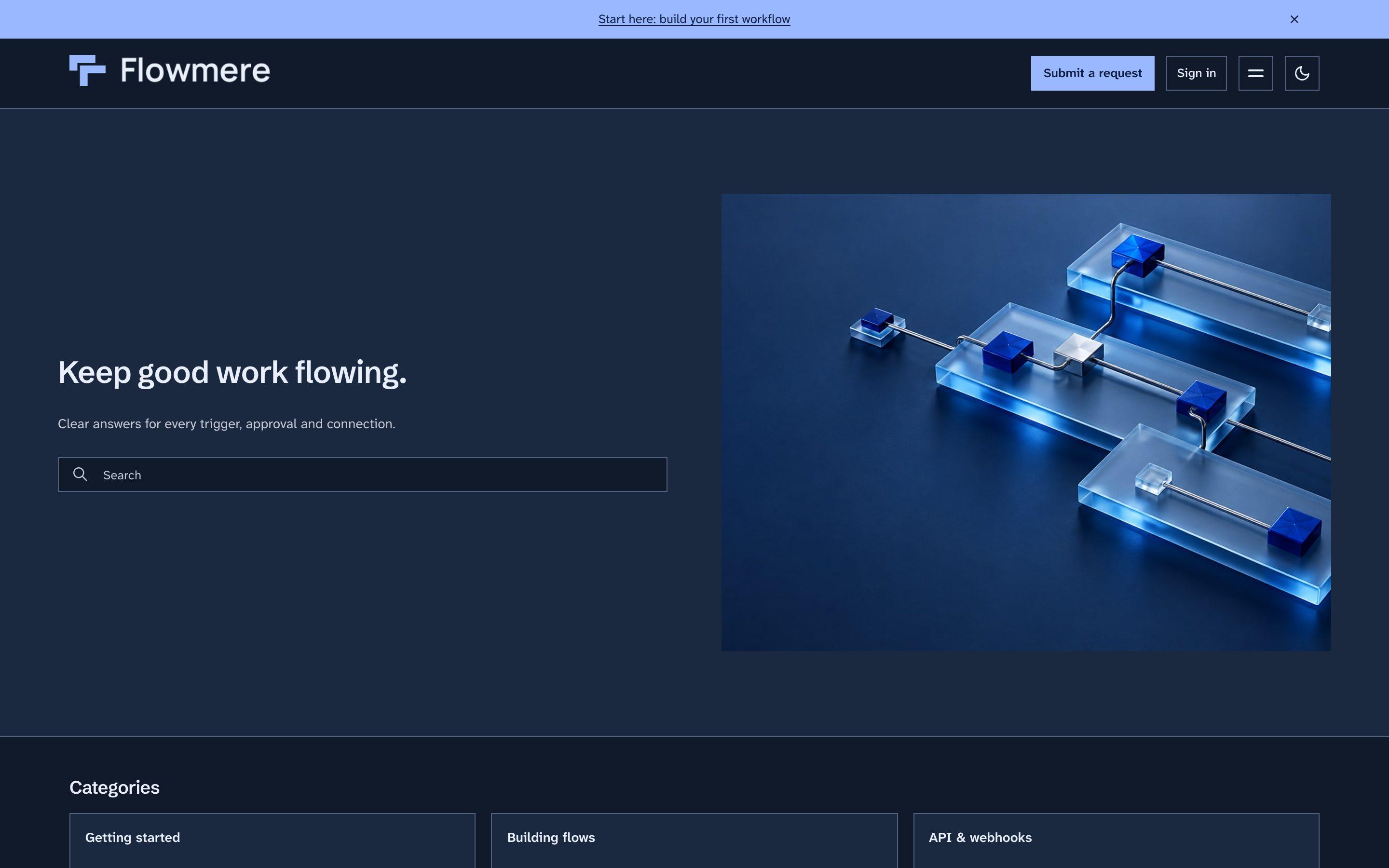
What ZenTheme Pro does
- ⌘K search on every page
- Results as you type with the matching words in bold, recent articles, and actions to submit a request or switch mode.
- A visitor toggle, and no flash
- The theme follows the system by default, visitors can override it, and the choice is applied before the first paint.
- Request forms follow the mode
- Zendesk's React request forms, the service catalog and approvals pick up the active mode instead of staying white.
- Current Copenhagen, mobile first
- Built on Copenhagen 4.51.4, so you keep Zendesk's latest fixes, and designed from the phone up.
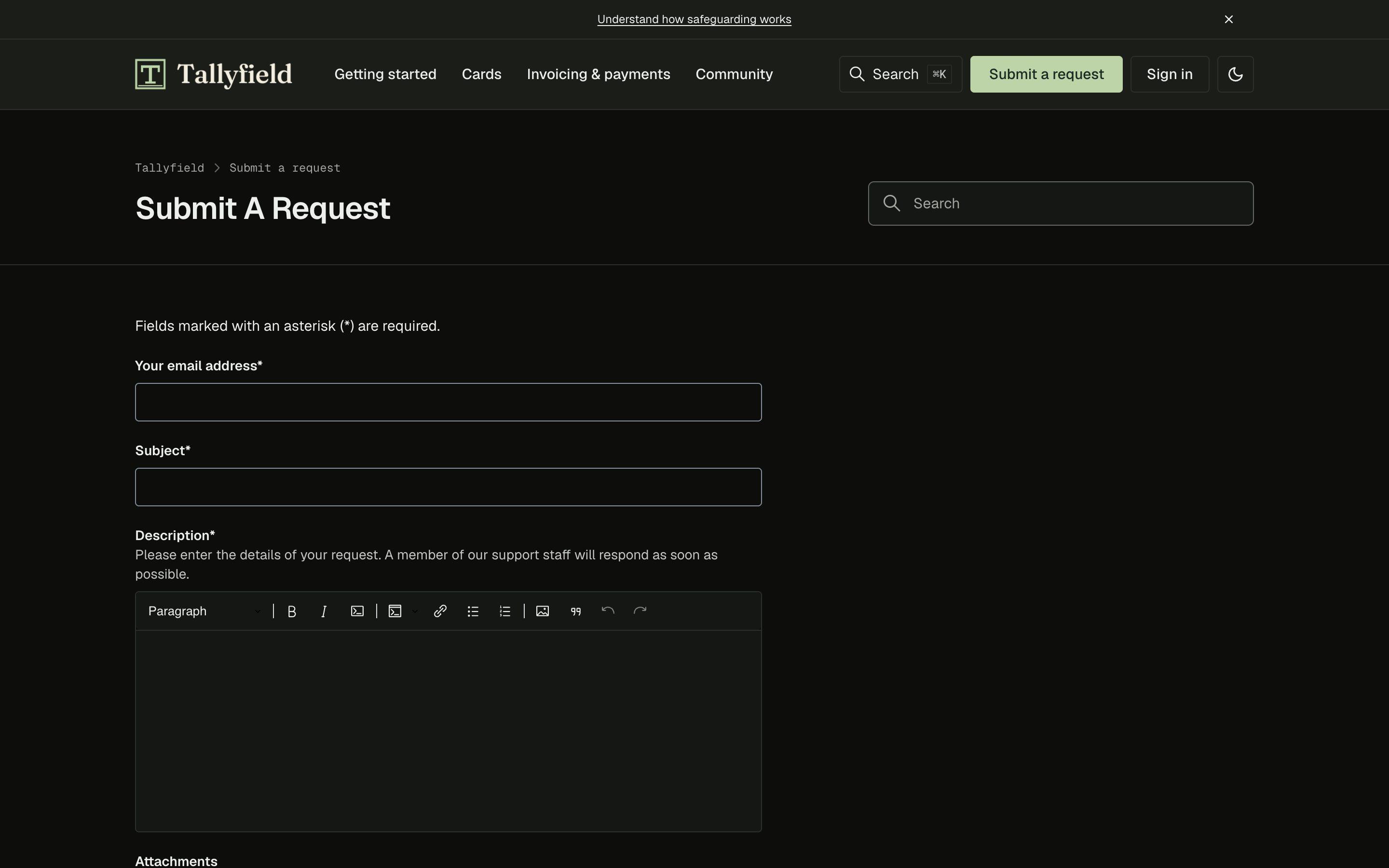
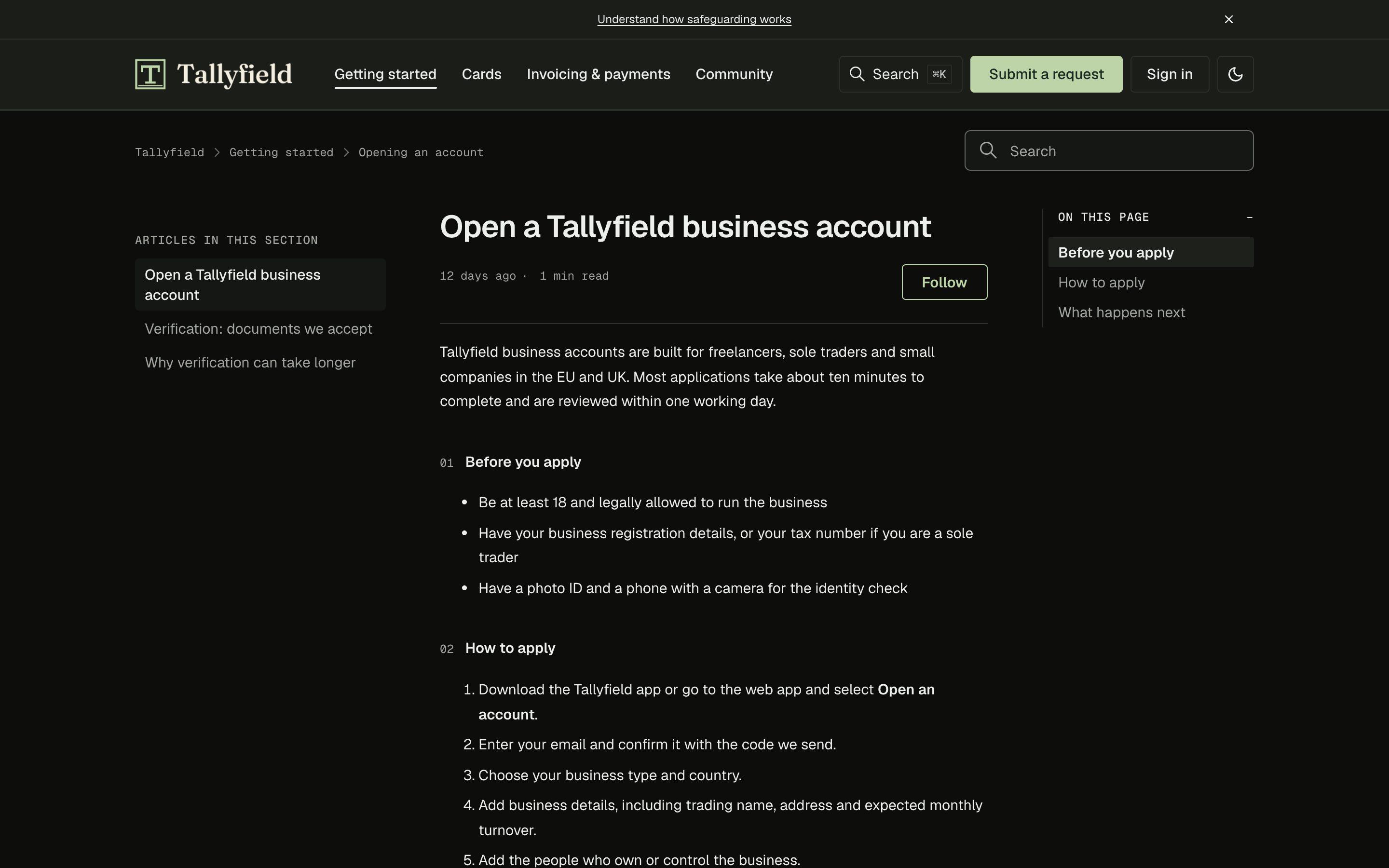
Three community layouts, in the Custom and Atrium looks
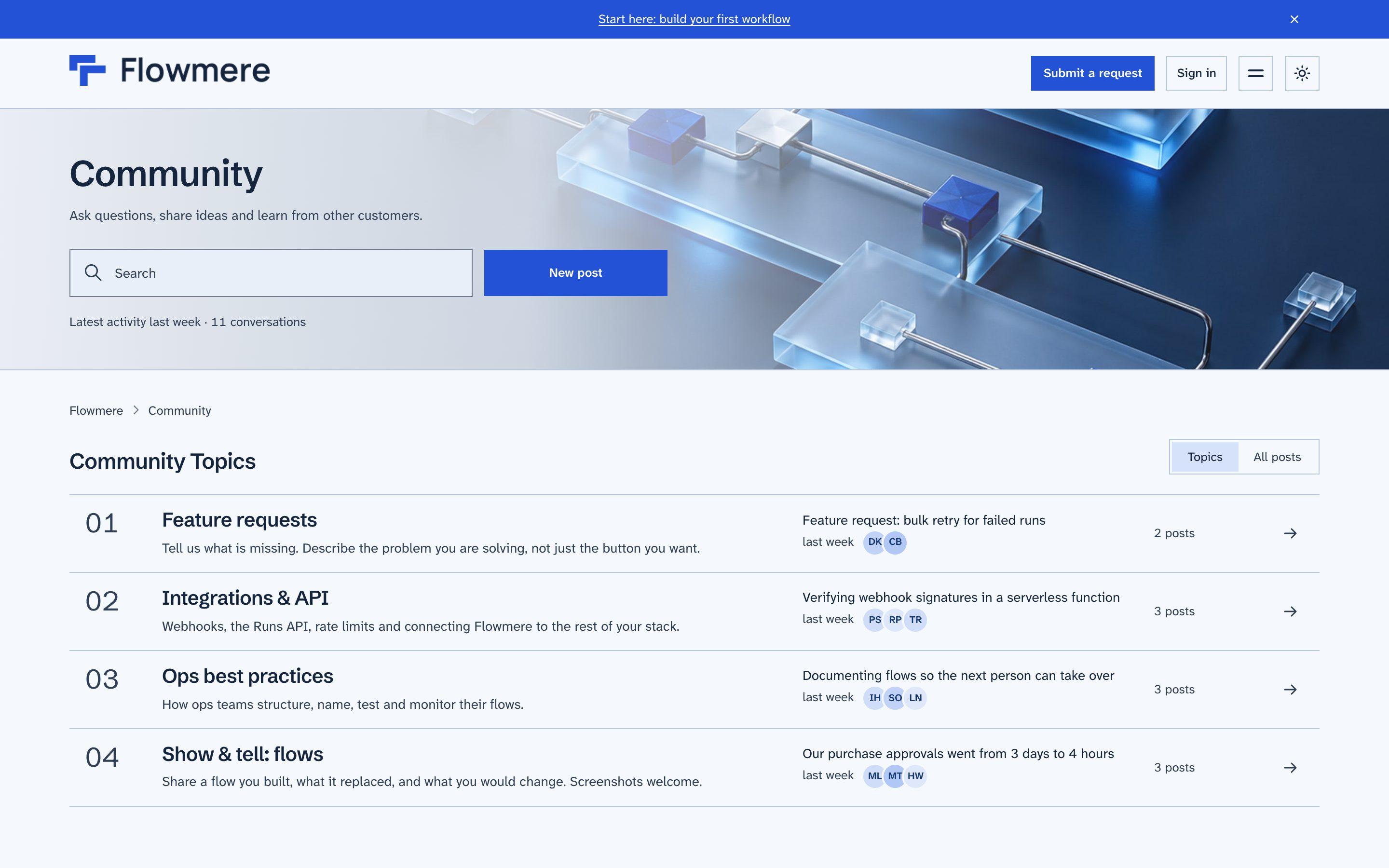
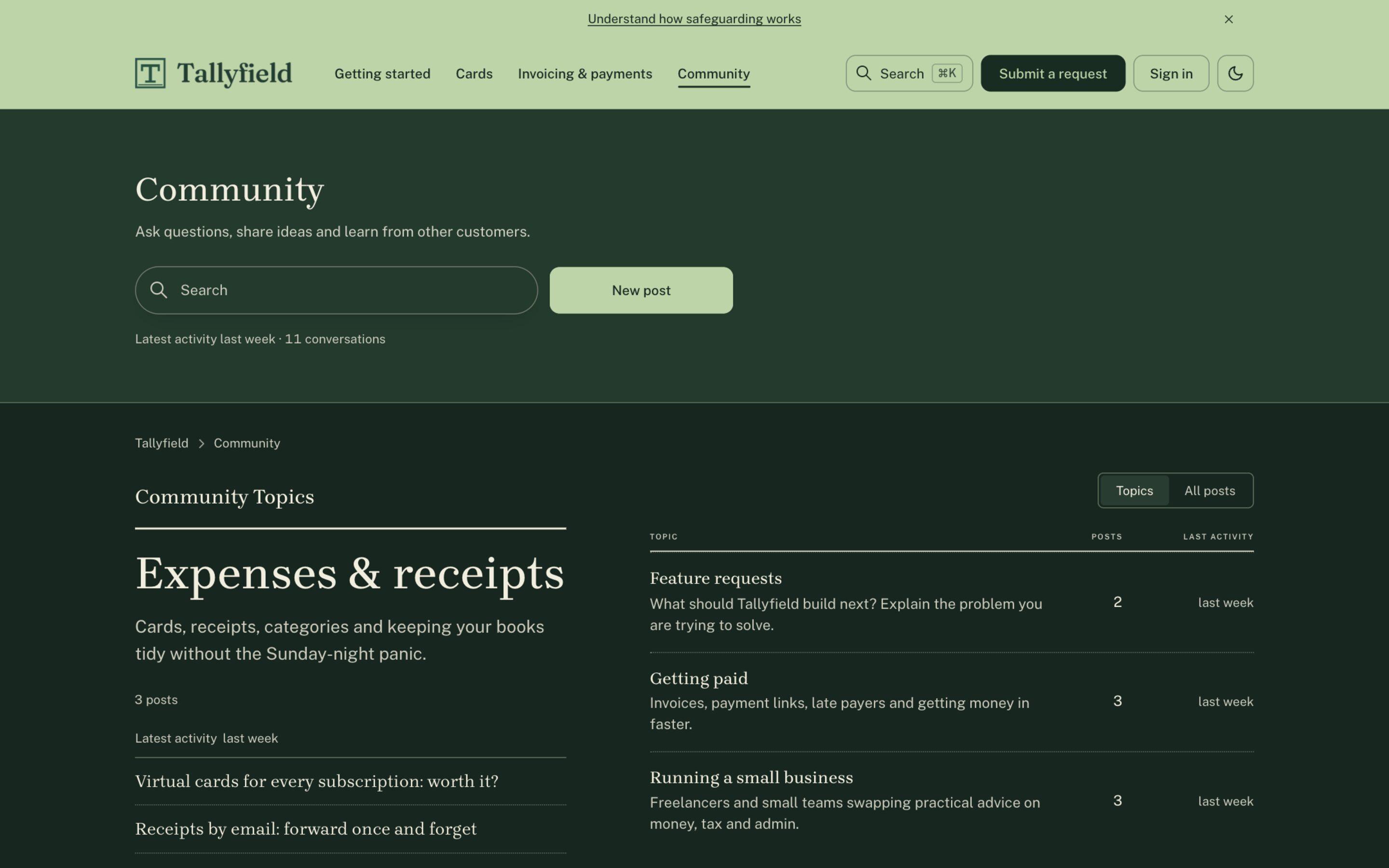
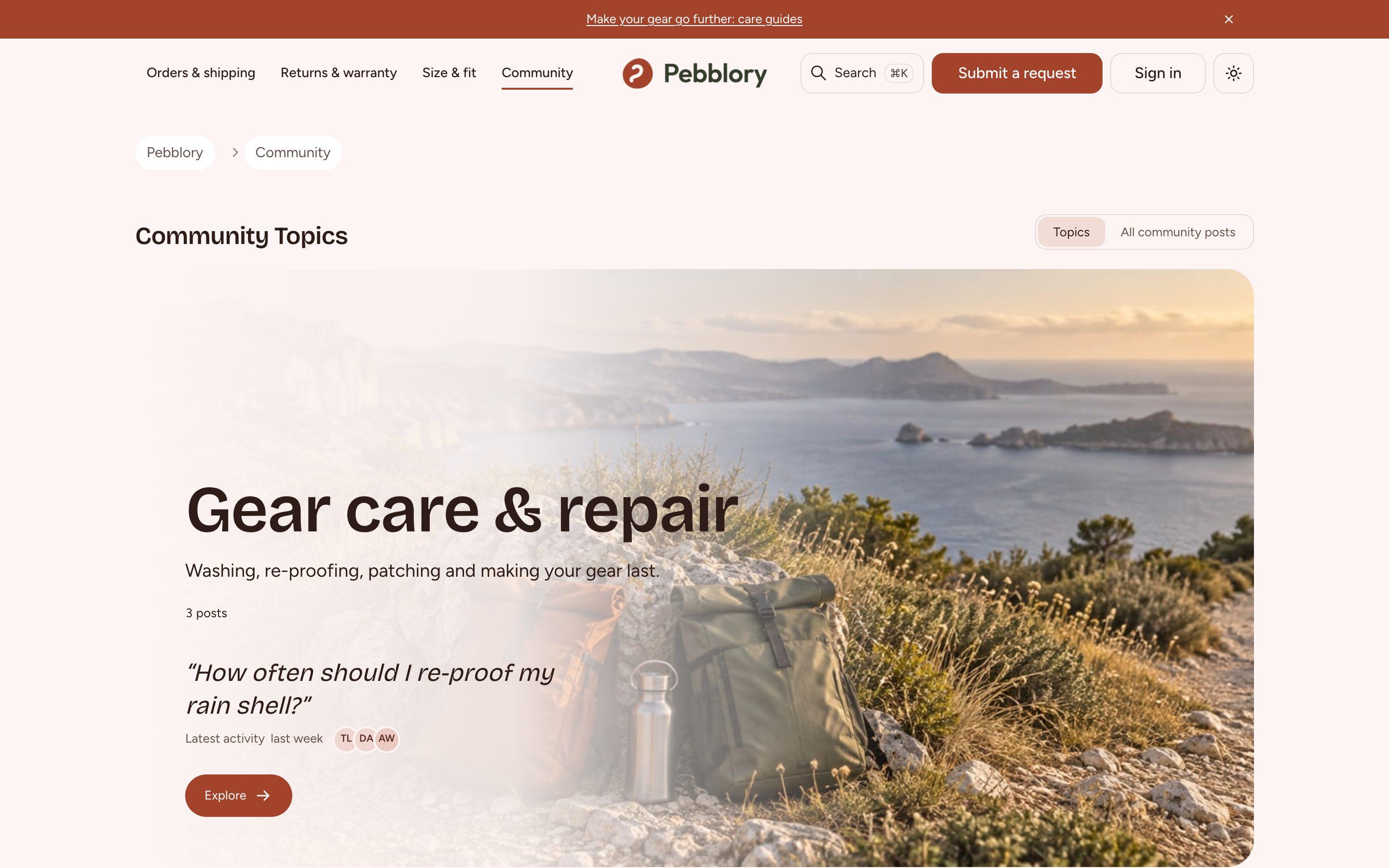
Change it yourself
Flowmere, Tallyfield and Pebblory are fictional demo brands. Each runs ZenTheme Pro on a live Help Center, and only the theme settings and three uploaded images differ. Open one, press ⌘K, switch modes.
Flowmere
Workflow-automation SaaS
- Look Custom
- Header Minimal
- Corners Sharp
- Cards Outline
- Community Index
- Fonts Schibsted Grotesk + Atkinson Hyperlegible Next
Light
Dark
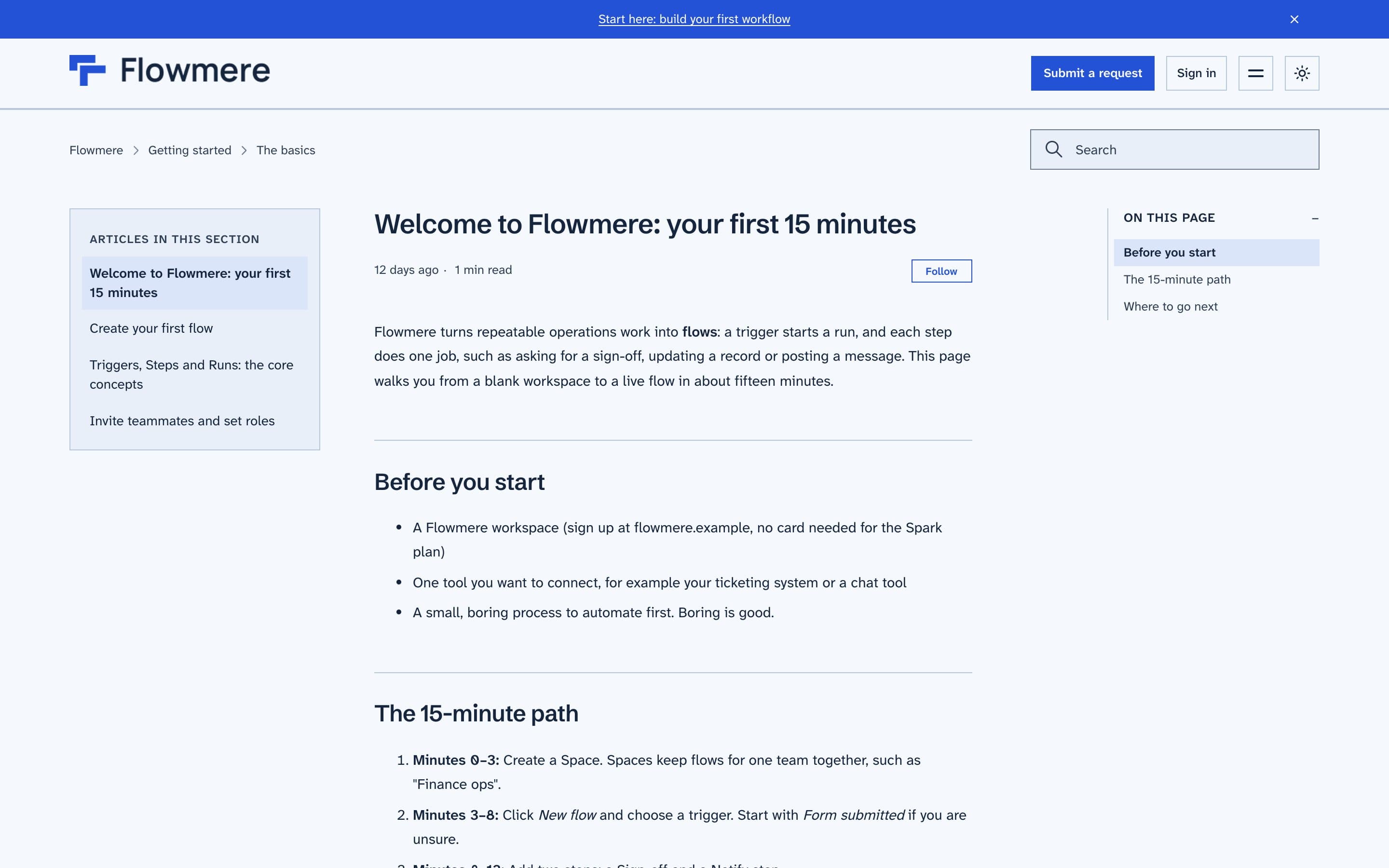
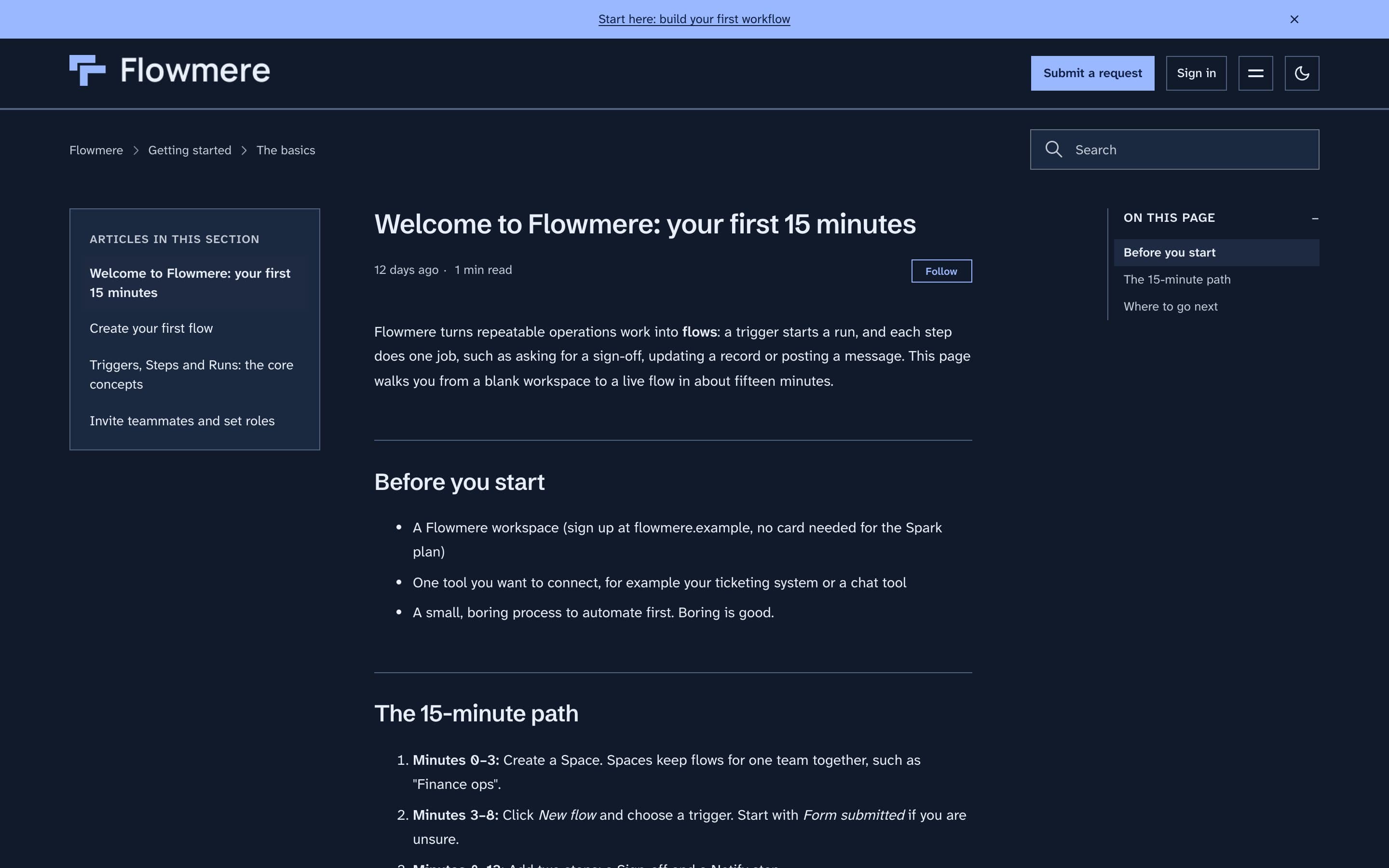
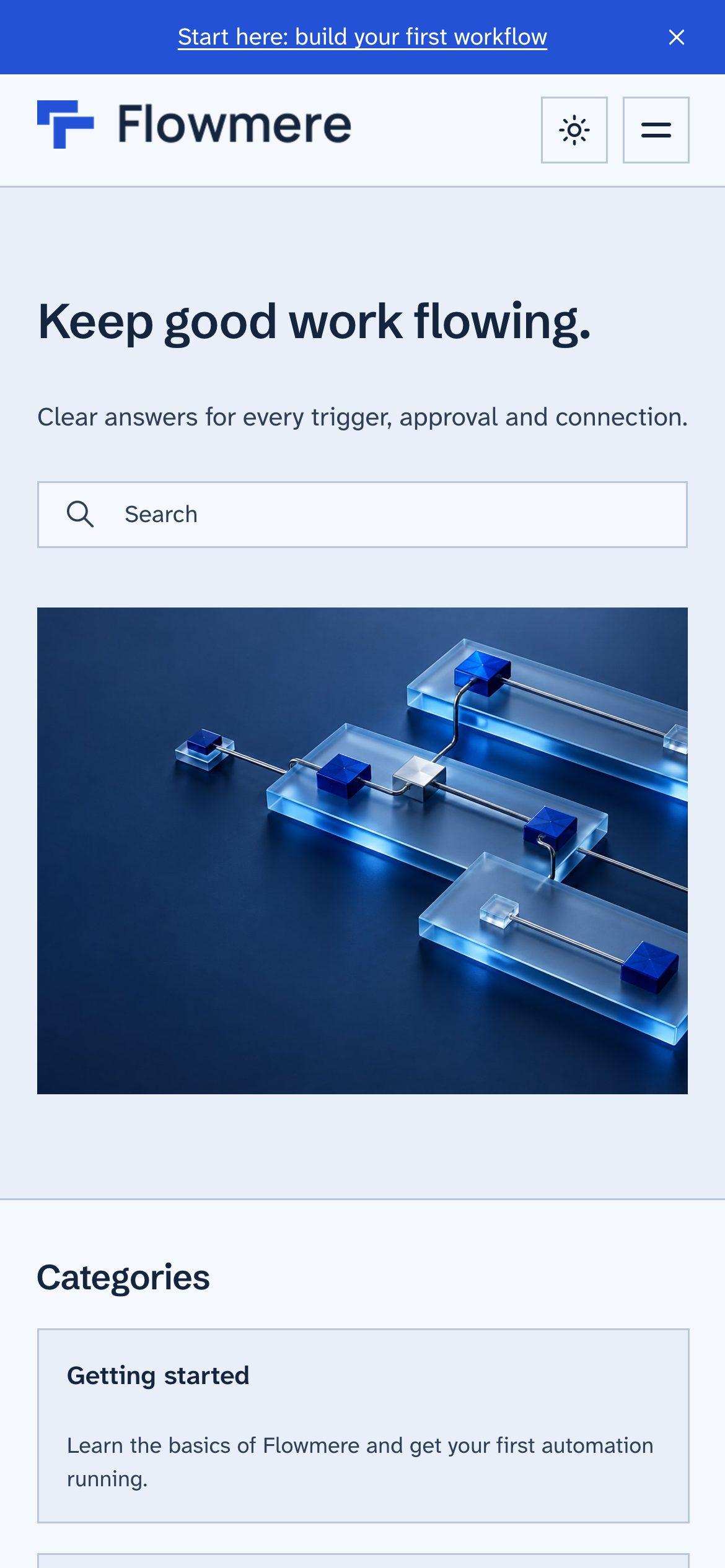
Flowmere is a fictional company, built as a demo. The Help Center is real and live.
Every setting, in Guide.
- Look
- Custom, Graphite or Atrium. Graphite and Atrium bring their own type and page layouts; Custom keeps every setting below.
- Languages
- The theme's own text in 32 languages, following each Help Center language.
- Colors, per mode
- Brand, text, link, background, surface and border, set separately for light and dark.
- Typography
- A heading font and a body font, each with a stylesheet URL and a safe fallback stack.
- Brand
- Logo, dark-mode logo, and logo height sliders for desktop and mobile.
- Header
- Classic, centered or minimal layout, with an optional sticky header.
- Hero
- Title, subtitle, and a plain, split or full image hero.
- Shape and cards
- Corner radius sharp, soft or round. Card style outline, elevated or tinted.
- Announcement bar
- A slim line above the header, with your text and link.
- Community
- Index, Ledger or Showcase topic layouts, featured posts and a community hero.
Copenhagen and ZenTheme Pro compared
Copenhagen is a solid base, and it is what ZenTheme Pro is built on. It has one palette and one header. Here is what changes.
| Feature | Copenhagen | ZenTheme Pro |
|---|---|---|
| Built on | Copenhagen 4.51.4 | Copenhagen 4.51.4 |
| Looks | One | Graphite, Atrium and Custom |
| ⌘K search palette | No | Yes |
| Light/dark system with visitor toggle | No | Yes |
| Separate colors per mode | No | Yes |
| Request forms follow the mode | No | Yes |
| Header layouts | One | Classic, centered, minimal + sticky |
| Style settings (radius, cards, hero) | None | All |
| Custom heading and body fonts | No | Yes |
| Dark-mode logo and logo sliders | No | Yes |
| Hero title, subtitle, image | Image only | Yes |
| Community topic layouts | One | Index, ledger, showcase + featured posts |
| Support | Zendesk docs | |
| Updates | From Zendesk | 1 year included |
| Price | Included | from $299 one-time |
What is in the box.
- All three looks: Graphite, Atrium and Custom
- ⌘K search and the theme's text in 32 languages
- All header layouts, corner and card styles
- Custom fonts, dark-mode logo, announcement bar and hero options
- 1 year of updates
- Email support
14-day free trial in your own Help Center · No refunds once the theme is live · Refund terms
Done-for-you setup $249, delivered in 48 hours · First 10 buyers get a free 30-minute setup call
Guides for Help Center owners
Zendesk Templating API v4 migration: what breaks and how to move
How to move a custom Zendesk Help Center theme from Templating API v1 to v3 to v4: what breaks, how to check your version, and a step-by-step checklist.
Zendesk Help Center dark mode: what it takes and how to add it
Zendesk's dark mode covers the agent workspace, not your public Help Center. What a good Help Center dark mode needs and how to add it with a theme.
Free Zendesk Help Center themes: what to look for and how to install one
What to check before you install a free Zendesk Help Center theme: Templating API v4, accessibility, dark mode and updates. Plus how to install one in Guide.
The Zendesk theme deadline: what happens on each date for v1, v2 and v3 themes
The Zendesk Help Center theme deadline, date by date: import blocks, upgrade tools and the forced v4 upgrade. How to check your theme and what to do before each date.
How to customize a Zendesk Help Center theme without code
What you can change in Guide's theme settings without code: colors, fonts, logo, images and layouts. Where settings stop, and when to pick a theme with more.
What a Zendesk Help Center theme costs to set up
What Zendesk Help Center theme installation costs: do it yourself, hire a freelancer or agency, or pay a fixed price, and what each one gets you.
Zendesk Help Center accessibility: what WCAG 2.1 AA means for your theme
Copenhagen is built to WCAG 2.1 AA, but a custom theme is yours to keep accessible. What Zendesk says, five checks to run and how to keep up with fixes.